
Interface Board
Power / CAN Connector
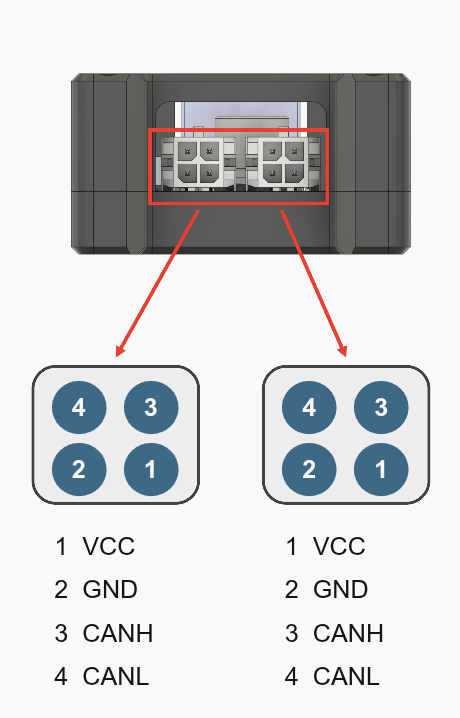
Both connectors share the same pinout.
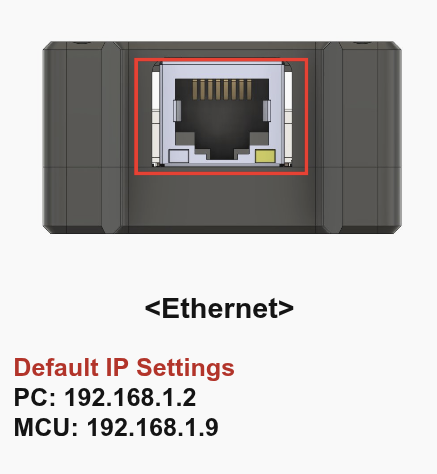
Ethernet
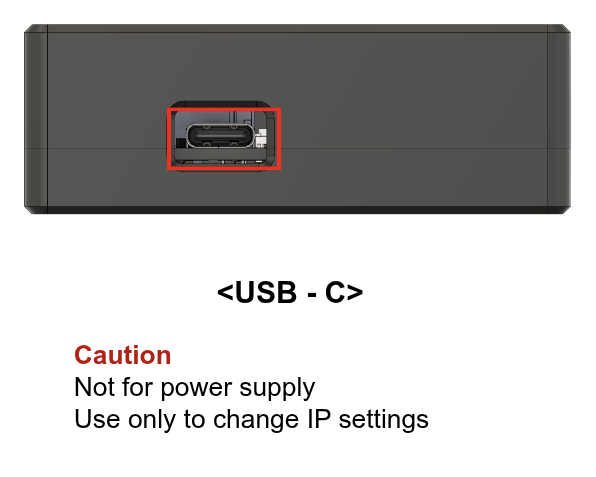
USB-C
KCAN Device Configurator
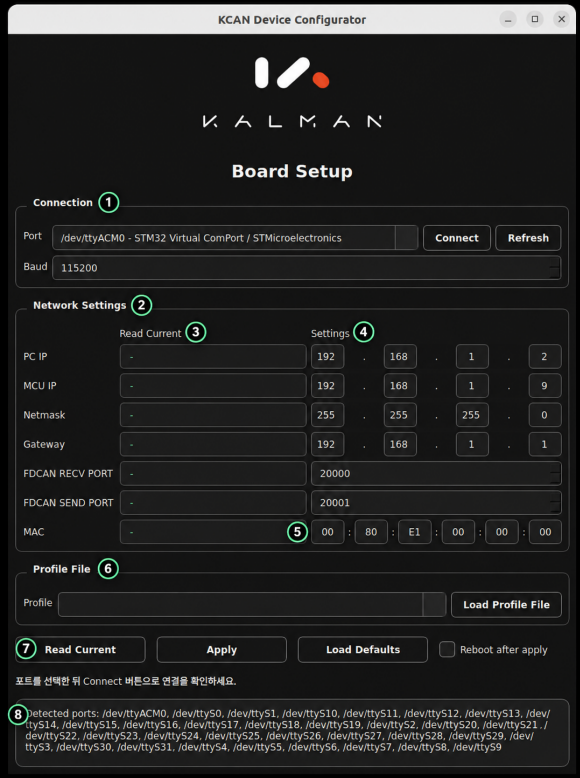
KCAN Device Configurator lets you configure the board's IP addresses, FDCAN receive and send ports, and MAC address over a USB CDC serial connection.
Installation and Launch
Run the following commands from the folder containing the package file:
bash
sudo apt install ./kalman-kcan-config_0.1.0.deb
kalman-kcan-config
After installation, disconnect and reconnect the USB cable.
Configuration Steps
- Select the USB port under Connection (①).
- Set Baud to 115200 and click Connect.
- Enter network settings (④) and the MAC address (⑤).
- Click Apply (⑦) and check the log (⑧). Select Reboot after apply first if needed.
- Read Current: Reads the current settings from the board again.
- Load Defaults: Fills the input fields with the default values above.
- Load Profile File (⑥): Loads settings from a JSON profile into the input fields.
Connection Troubleshooting
If the port is not listed, reconnect the USB cable and click Refresh. If the connection fails, check the board's power, the selected port and baud rate, and whether another program is using the port.
If a port permission error (Permission denied) occurs, run the following commands, reconnect the USB cable, and restart the application:
bash
sudo udevadm control --reload-rules
sudo udevadm trigger --subsystem-match=tty